Home / School News

DOWNLOAD THE JOHN STUBBS CELL PHONE APP

A great way to ensure you are staying connected with communication from the school is by downloading the John Stubbs app.

Scan the QR code or find the app here: John Stubbs APP 


The catchment schools for French Immersion Kindergarten are:

To register, children must turn five years of age by December 31 in the same calendar year that they begin school. There are no exceptions.

We invite you to attend an online information session to learn more about the program. The session will feature Principals and Vice-Principals from École John Stubbs, École Millstream, and École Poirier, along with District representatives, who will share insights and answer questions.

Date: January 6, 2026
Time: 6:30 p.m.

Please click the link below to join the online session at the scheduled time.

Click to Join the Online Information Session

How to Register:

1. Read the Registration Guide to make sure you have the required documents ready to upload during registration. Please upload ALL required documents. Registration will be incomplete until all documents are uploaded.

Uploading Documents: Don’t have a scanner? Please provide CLEAR photos of the documents. If the document cannot be read clearly, it will not be accepted.

2. Online at registration.sd62.bc.ca.

Register

Lottery system for Kindergarten French Immersion

Due to high demand for Kindergarten French Immersion, if a school receives more registrations per category of enrolment priority than the number of available seats, a lottery will take place. The lottery will follow the Student Enrolment Priorities and students will be placed in the order in which they are drawn.

A wait list will be established according to the lottery. The lottery process will be based on a school-by-school basis.

Student Enrolment Priorities

  1. re-enrolling students
  2. a catchment area child who has a sibling currently attending the school
  3. a catchment area child
  4. a non-catchment child who has a sibling currently attending the school
  5. a non-catchment child
  6. a non-school district child

These enrolment priorities apply to all new registrations and transfer requests.

*Please note that for École John Stubbs, the elementary and middle schools are separate. If you have a child in École John Stubbs Middle School or one who will be in the middle school the following September and are registering another child in École John Stubbs Elementary School, Enrolment Priorities #2 or #4 will not apply.

Multiples: In the event of a lottery, one ballot will be entered into the draw for families with multiples. If drawn, they will be offered placement in the program at the same school provided there is space available.

Visit the Kindergarten page for more information.

Frequently Asked Questions

  • How does the lottery work?
  • When will the results of the lottery be available?
  • Will the results of the lottery be made public?
  • Do I need to enter the lottery in addition to registering my child?
  • Do I need a computer in order to register?
  • Do I need an email address to register?
  • I do not have a scanner. Can I upload photos of required documents?
  • What if my child is not selected in the lottery?
  • I have multiples. Will each of their names be entered into the lottery?
  • I have a child in Grades 6-8 at École John Stubbs. I am registering another child in Kindergarten – Grade 5. Will the Enrolment Priority count as they are siblings?
  • What is French Immersion and how can I support my child?


MS Athletics

Hello parents,

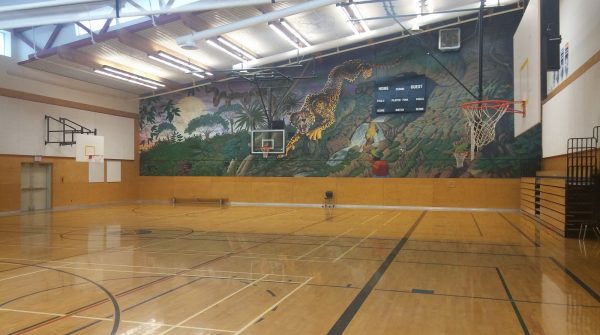
Just a quick message to let you know of John Stubbs after-school sports programs that will hopefully be running this year. Announcements are made on Jagzone and written on the whiteboard outside of the middle school gym. If your child is on a school team, they will receive a consent form and season schedule. Please keep that schedule and refer to it so that you are informed of when your child plays. League information is also posted at apzr.co/Q1i. Please avoid calling the office for information regarding after-school sports, as secretaries are often busy with other duties. If you have questions, contact your child’s coach or the athletic director, Owen Summers, at osummers@sd62.bc.ca

The first after-school team is cross country. Our middle school team runs 4 events from the end of September to the first couple of weeks in October. Practices are held during lunch hours. If your child is interested in participating in Cross Country, tell them to go see Mr. Summers.

Next up is the Basketball season which runs from the end of October through to the end of November. If numbers allow, we try to run a team for each gender/grade division (6/7 girls and boys, 7/8 boys and girls). We generally enter in the recreational division, as it gives each student a chance to participate. Tell your child to look for the sign up sheet on the middle school gym doors in early October.

After basketball is volleyball, which starts in late January and ends in early March. Again, if numbers allow, we try to run a team for each gender/grade division. Like basketball, we tend to enter the recreational division which gives all students a chance to play. Teams generally practice at lunch. Students sign up sheets located outside the middle school gym in early January.

We end the year with track and field which run during May and early June. All competitions are held at Uvic in the Centennial Stadium. Students can participate in a variety of track and or field events. If students place in the top percentile, they are invited to the championship meet which takes place during school hours in early June.

Besides after-school sports, there will be various intramural sports that will take place during lunch throughout the year. Tell your child to listen to Jagzone for all the details or keep their eyes peeled on the whiteboard outside the gym for important information.


French Immersion: A Guide for Parents and Caregivers


*Please do not feel obligated to purchase from School Start. Feel free to reuse supplies that you may already have on hand.

 School Supply Information for 2025-2026 year

PAC has partnered with School Start to offer pre-made, customizable kits that include the listed supplies below that will be delivered to your door.  You may also choose to print off the list and purchase the items yourself. Order online here: School Start Online 

Create an account, select your province and then select your school (Ecole John Stubbs Memorial) then start shopping.

Kindergarten – School Supply List 2025-2026

Grade 1 – School Supply List 2025-26

Grade 2 – School Supply List 2025-2026

Grade 3 – School Supply List 2025-2026

Grade 4 – School Supply List 2025-26

Grade 5 – School Supply List 2025-2026

Grade 6 – School Supply List 2025-2026

Grade 6 Late Immersion – School Supply List 2025-2026

Grade 7 – School Supply list 2025-2026

Grade 7 Late French Immersion – School Supply List 2025-2026

Grade 8 – School Supply List 2025-2026


School Bus Registration & Transportation Information

To comply with legislative requirements for maintaining up-to-date bus lists, all students must register for school bus transportation each year.

2025-26 Bus Registration

📅 Opens: March 1, 2025, at 8:00 a.m.
📅 Closes: April 30, 2025 at 11:59 p.m.

Bus assignments and routes will be developed based on registrations received during this period, so families are encouraged to register as soon as possible. If your child is eligible for transportation, you will receive route information in mid-to-late July. If your child is ineligible, you will be notified as soon as we reach your registration for processing.

⏳ Late Applications: Registrations submitted after April 30, 2025, including those for new students, will be processed on a first-come, first-served basis for eligible riders on existing routes. Registrations are timestamped and prioritized in the order they are received. Families who registered on or after May 1, 2025 will be notified of their route information after September.

Before You Register

Before completing registration, please review the following important documents:

📄 School Bus Transportation Fees & Payment Guidelines
📄 School Bus Rules – District Expectations for Riders

If you need more information about our fee waiver process for families facing financial hardship, please click here.

2025/26 Bus Registration

Register For 2025/26


Student Safety & Conduct

Parents/guardians are responsible for ensuring their child gets safely to and from their designated bus stop.

During registration, parents/guardians acknowledge and consent to their student(s) adhering to the School Bus Rules. We encourage you to take the time to review these rules with your child. Additionally, please note that our Student Codes of Conduct applies both at designated bus stops and while riding the bus.

Reporting Concerns: If your child experiences an issue on the bus, please contact their school principal promptly.

Route Delays & Cancellations

In the event of a significant delay or route cancellation, notifications will be sent through:

📧 Email alerts
📞 Phone recordings
🌐 Website updates (posted at the top of this page)

During winter and severe weather conditions, bus delays may occur due to road congestion, icy conditions, or mechanical issues. Please ensure your child is dressed appropriately for cold weather, as buses can cool down quickly.

Route Cancellations: While we make every effort to avoid cancellations, routes may be canceled due to driver shortages or hazardous weather. The Transportation Department will notify parents as soon as a cancellation is confirmed.

Need Assistance?

📧 Email: Send us an email
☎ Transportation Dispatch: 250-474-9845

Lost an item on the bus? Have a question about your route?
Due to a high volume of inquiries, we kindly ask that you do not send multiple emails about the same issue, as this slows our response time. We appreciate your patience and will reply as soon as possible.

Frequently Asked Questions
  • What is the District’s Transportation Policy on Eligibility?
  • I registered, but did not receive an email prompting me to pay the bus fees. How do I pay the fees?
  • My children don’t show up in my School Cash Online account. What can I do?
  • My child does not attend their catchment school. Can I still register them for transportation??
  • How do I register my child if they split time between two addresses, and will the Safety Enhancement Fee need to be paid twice?
  • What is the transportation fee?
  • What is the refund policy for transportation fees?
  • What is the safety enhancement fee be used for?
  • My child left something on the bus. How can they retrieve it?
  • What time should my child be at the bus stop?
  • Can my child bring sports and/or band equipment on the bus?
  • I changed addresses over the summer, can I still register?
  • Our family just moved into SD62, can I still register for the school bus?
  • Must all Kindergarten to Grade 3 students be met by a parent or guardian at their drop-off stop?
  • Can drivers add a stop or change a route?
  • Will I receive a call if the bus is late?
  • Who do I call if the buses are running late?
  • Can my child bring a friend on the bus?
  • Can my child bring a pet animal on the bus?
  • Should I call if my child will be absent from school?
  • Can my child be picked up and dropped off at different locations?
  • Does my child need to ride a specific bus route?
  • Are e-cigarettes allowed?
  • Can I ride on the bus with my child?
  • My child is small. Can a booster seat be used?

Bus Registration HERE


Hot Lunch Orders

PAC is excited to announce that hot lunches are back for this school year!

Everyone (those who are new and returning families of all grades (K-8)) will need to register for an account on the PAC hot lunch site (Access code: JSPAC2025 ): 

 https://johnstubbs.hotlunches.net/admin

Once registered, add your students to your account and place your lunch orders.  Our lunches are completely optional and are a la carte, so please pick and choose whatever items on the menu that your student would like to eat/drink.

Lunches will be held every Friday

If you have any difficulties with placing an order or with anything related to hot lunches, please email the coordinator (jshotlunch@gmail.com).


School Consent Forms

We are requesting that you access our new online consent system and hopefully agree to the terms within.  The District’s online system has several electronic consent forms for you to review:

Our Consent Portal can be accessed HERE and include the following consent forms:

  1. General School Fieldtrips
    • Consent for class walking excursions/short off campus outings.
  2. Google apps for Education
    • A district-managed Google Apps account providing students with a powerful collection of online productivity tools as well as online file storage.
    • Click HERE for detailed instructions on how to set up your student’s GAFE account.
  3. My Blueprint
    • A platform for career education, digital portfolios and self-assessment of core competencies.
  4. School Cash Online
  5. SpacesEDU*
    • Your child’s teacher is planning to use an on-line tool called SpacesEDU as part of communicating student learning for your child this year. You can visit their website at https://spacesedu.com/en/
  6. NA’TSA’MAHT Indigenous Education Self-Identification
    • In addition to the indigenous content delivered within classroom curriculum  if you child self-identifies as having Aboriginal ancestry, in-class support is available weekly.
  7. Internet Access*
    • Access to the school sponsored internet.
  8. Media Consent*
    • Consent to collect, retain, use and disclose photographs, videos, images of students in a variety of publications and on the school district’s website for educational purposes, such as recognizing and encouraging student achievements.

* Must be completed each school year


A friendly reminder that the initial set up of your account must be completed from a computer (not a mobile device).

My Education Website Click HERE

We are excited to use MyEd BC Family Portal to facilitate greater communication between teachers, schools, and families. The portal allows parents/guardians to view:

  • Class Attendance Information
  • Contact Information
  • Assessments
  • IEP’s (If Applicable)
  • Student Schedules
  • Published Report Cards
  • Published Student Information Verification Forms

It is important that you log in and get acquainted with the portal since you will be receiving your students report card through the parent portal as well as your annual Verification Sheets.

Login Instructions

  1. Visit https://www.myeducation.gov.bc.ca/aspen/logon.do
  2. Make sure pop-ups are enabled on your browser and you are on a computer, NOT a mobile device!
  3. Your login information will have been sent to you from sysadmin@myeducation.gov.bc.ca

Find your password

We have developed a tool to help parents/guardians look up their temporary MyEd BC Portal password. If you have never accessed MyEd BC Portal, please visit the MyEd BC portal page on our website here. Looking for your password? Use our password toolIf you continue to experience difficulties signing in to your MyEd parent portal, please contact your child’s school directly. 

FAQ

  1. What is my UserID?
    Your UserId is the email address we have on file for you (the email where you receive all of our communications)
  2. I forgot my password, what should I do?
    Please use the “I Forgot my Password” link on the Myeducation BC login page
  3. I am getting an error that my account has been disabled, what should I do?
    Please email johnstubbs@sd62.bc.ca with a screen shot of the error message and we will do our best to help troubleshoot your problem.

Additional Portal help can be found HERE

* Security MyEdBC is a secure student information system used in all public school districts in the province of BC. Security is guided by the rules and regulations of the School Act and Freedom of Information and Protection of Privacy Act (FOIPPA). Access to your child’s information is only provided to legal guardian(s). Each parent or legal guardian will have their own account.